📖 ScreenDiagram Visual Quick-Start & Upgrade Manual
For macOS (.dmg) & Windows 10/11 (.exe)
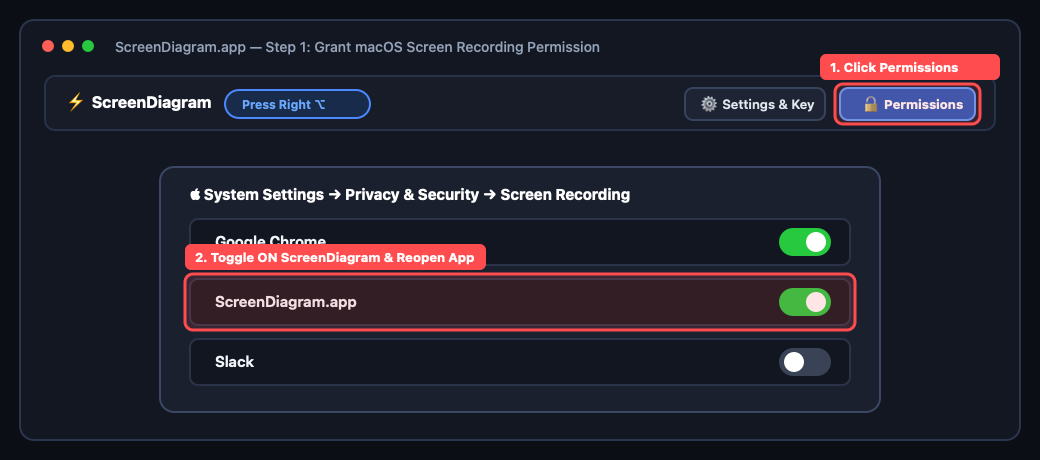
1. Install & Grant Screen Recording Permission (macOS / Windows)
• macOS: Drag ScreenDiagram.app into Applications. On first launch, click the top-right Screen Permission button and toggle ON ScreenDiagram in System Settings → Privacy & Security → Screen Recording, then reopen the app.
• Windows: Run OneDiagram.exe. It runs quietly in your system tray waiting for your hotkey.
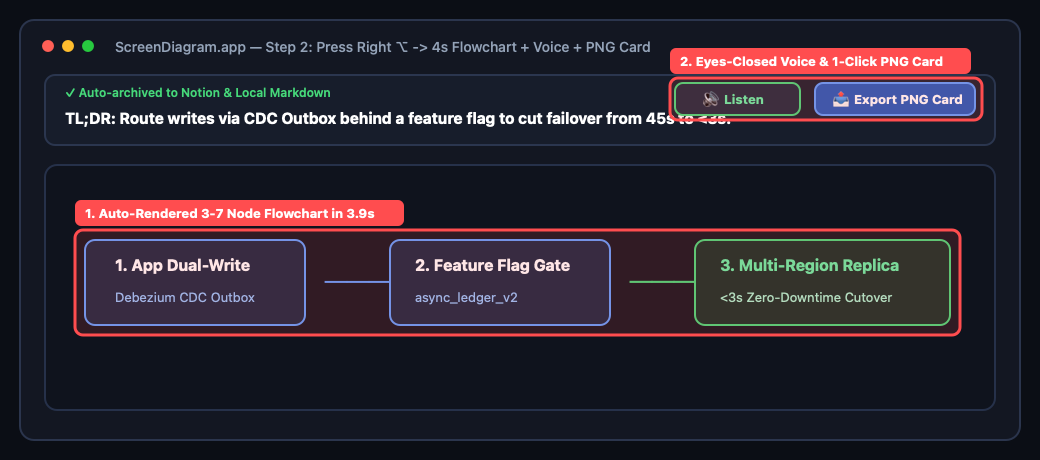
2. Press 1 Key on Any Dense Screen (Flowchart + Voice Readout + Share Card)
• Open any long RFC, Slack thread, PDF, or webpage and press Right ⌥ (Right Option) on Mac or F8 / Right Alt on Windows.
• Within 3.9 seconds, ScreenDiagram pops up with 1-sentence TL;DR + 1 visual flowchart.
• Click 🔊 Voice or enable Auto Voice Readout to close your eyes and rest your back, or click 📤 Export PNG Card to copy an HD visual card straight to your clipboard.
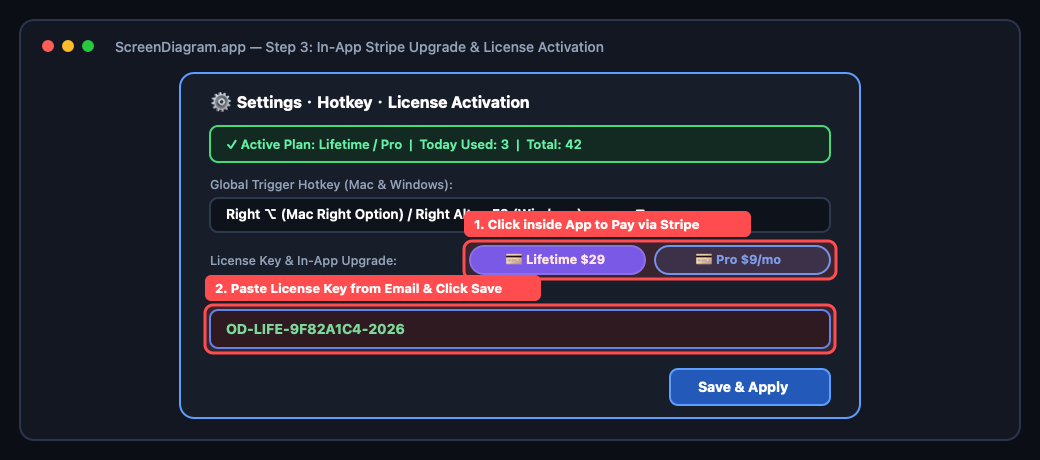
3. How to Pay & Activate After Downloading (In-App or Web)
Your download includes 15 free diagrams. Whenever you want to upgrade after downloading, open the app and click ⚙️ Settings & Hotkey → 💳 Buy Lifetime ($29) / 💳 Subscribe Pro ($9/mo) right inside the app, or use the official Stripe Checkout buttons below:
✓ Once Stripe checkout completes, your OD-LIFE-XXXX or OD-PRO-XXXX license key is emailed to you. Paste it into the License Key box inside Settings and click Save!
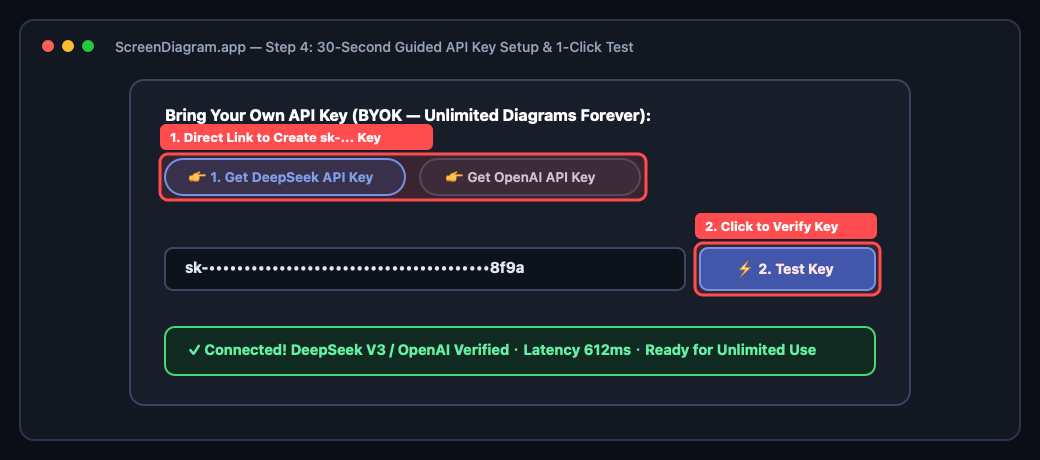
4. 30-Second Guided API Key Setup (For Lifetime BYOK Users)
1. In the app's Settings dialog, click 👉 1. Get DeepSeek API Key (or OpenAI Key) to open the official console in 1 click.
2. Paste your sk-... key into the input box and click ⚡ 2. Test Key.
3. Once the green verification banner (✓ Connected!) lights up, click Save to enjoy unlimited diagrams forever!